
Work Orders · 7 min read
Garage Management Software vs Spreadsheets: Which Wins?

Steve Bang is the founder of Garixo and a software engineer with hands-on experience working in auto repair shops. He builds practical technology to help independent repair shops manage their businesses more efficiently.
Published Mar 17, 2026
Comparing garage management software vs spreadsheets? See what's quietly costing your shop — and which tool actually fixes it. Free to try, no card needed.
Introduction
Every week, thousands of shop owners open the same spreadsheet they built three years ago and patch it with another tab. It works — until it doesn't. Shops without real-time operational visibility leak 10–30% of potential profit every month, not in one obvious loss but in parts ordered twice, jobs billed late, and technicians waiting on information that should take five seconds to pull up.
With over 303,000 auto repair businesses operating across the US, margins are tight and the shops that win are the ones with tighter operations. The debate around garage management software vs spreadsheets isn't abstract — it's about what your current setup is actually costing you.
This post breaks down exactly where spreadsheets hold up, where they fail, and what switching to purpose-built shop software looks like in practice.
Where Spreadsheets Still Work for Auto Repair Shops
Let's be direct: a spreadsheet isn't inherently the wrong tool. For a solo mobile mechanic handling 5–10 jobs a week, a well-structured Excel file can cover customer names, job notes, parts costs, and basic invoices. It's free, it's flexible, and you already know how to use it.
Spreadsheets make sense when:
- You're a one-person operation with low, predictable volume
- You only need basic records — no live job tracking or staff coordination required
- You're in the earliest stage of the business and every overhead dollar counts
The problem isn't the tool — it's the ceiling. The moment you add a second technician, open a parts supplier account, or start managing 20+ vehicles a month, spreadsheets start consuming more time than they save. You're manually updating three tabs when a job status changes. You're hunting through rows when a customer calls. You're rebuilding last month's numbers from scratch every time you want to understand where the business stands.

→ If you're a mobile mechanic exploring your first management tool, see how garage management software for mobile mechanics can fit a lean, single-person operation without overcomplicating it.
Where Spreadsheets Break Down: The Real Cost of Manual Shop Management
Spreadsheets don't fail dramatically. They fail slowly — and that's what makes them dangerous for a growing shop. You miss a reorder threshold. A technician starts a job that was already billed under a different ticket. An estimate worth $400 goes unfollowed because it got buried in a tab no one checks. None of these is a disaster on its own. Together, they account for the 10–30% profit bleed that shows up at year-end with no clear explanation.
No Real-Time Job Visibility
When a customer calls to ask if their car is ready, you shouldn't have to walk the floor or text your tech to find out. With spreadsheets, that's exactly what happens — there's no live job status, only whatever someone last typed. For shops tracking 30+ vehicles a month, this single gap costs hours of productivity per week and quietly erodes the customer experience.
Inventory Shrinkage You Can't Catch in Real Time
Parts walk. Without a system that ties parts consumption directly to work orders, you're relying on manual counts and memory. Most shops that switch to dedicated auto shop inventory control software find they've been under-billing for parts or absorbing shrinkage for months without realising it. The fix isn't more discipline — it's a system that makes the right action automatic. See auto repair shop inventory management software for the full breakdown.
No Daily Profit Overview
Can you pull last week's gross margin right now, without spending 15 minutes cross-referencing tabs? For most spreadsheet-run shops, that's an honest no. A shop management system with built-in reporting surfaces this in seconds — which means you can make decisions before a slow week becomes a slow month.
→ Find out where your margins actually stand with the free auto repair shop profit calculator — no login required.
Garage Management Software vs Spreadsheets: A Direct Feature Comparison
Here's how the two approaches stack up across the five areas that drive shop profitability most directly:
| Area | Spreadsheets | Garage Management Software |
|---|---|---|
| Work Order Tracking | Manual entry, no live status | Real-time updates, linked to techs and parts |
| Customer History | Scattered across tabs | Centralised, searchable, with full service notes |
| Inventory Control | Manual counts, easy to miss | Auto-deducted per job, low-stock alerts |
| Staff Management | No visibility into tech output | Job assignments, time on task, productivity data |
| Invoicing & Reporting | Rebuilt from scratch each time | One-click invoices, daily P&L snapshot |
The shift isn't about swapping a spreadsheet for a fancier spreadsheet. It's about getting a system built around how a repair shop actually operates — where job status changes mid-afternoon, parts get pulled without advance notice, and a customer calls at the worst possible moment.
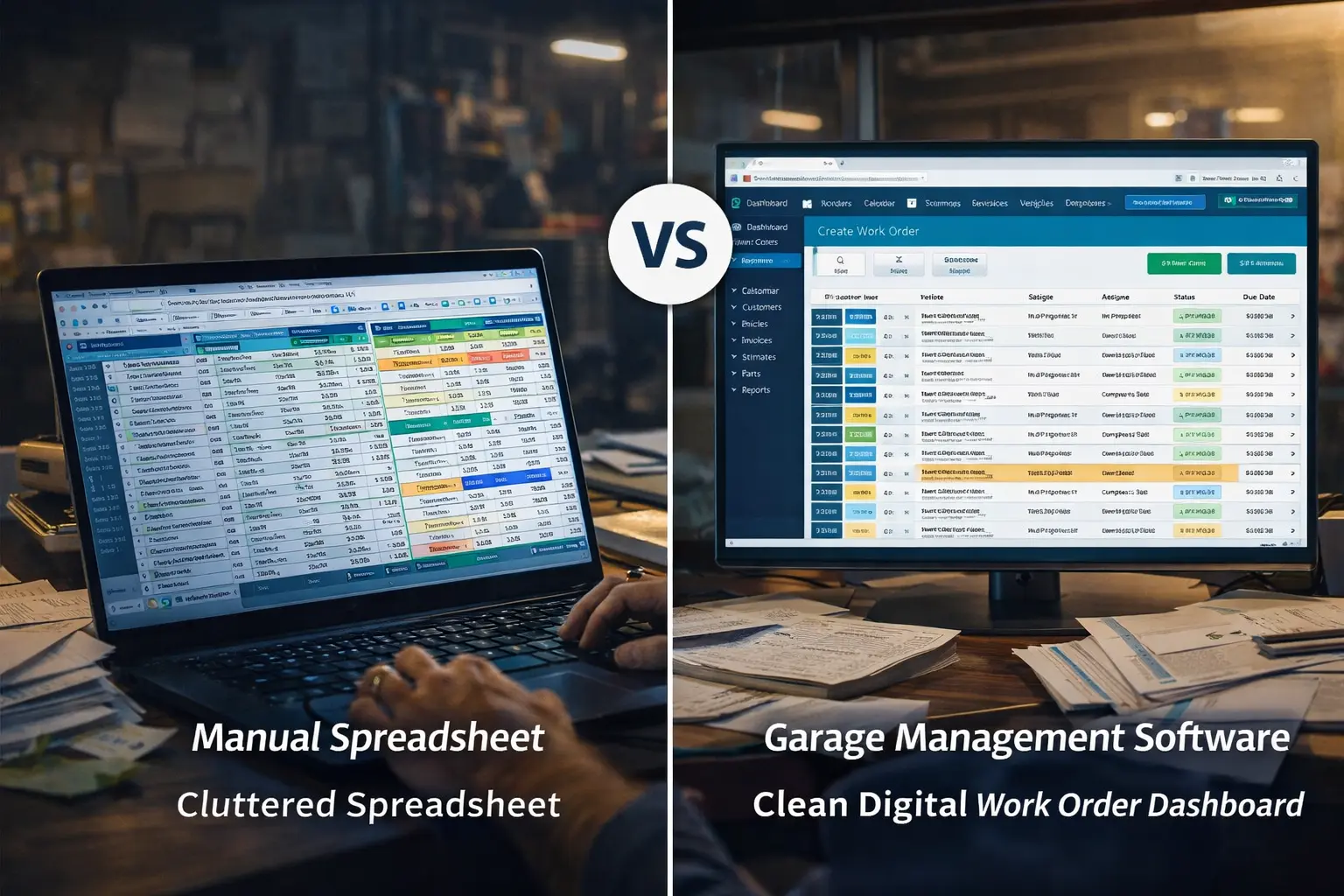
→ See how work order management in Garixo handles live job flow across multiple technicians without the manual back-and-forth.
What the Switch Actually Looks Like: Real Shop Management System ROI
"How fast will I see results?" That's the right question to ask before committing to any new tool. Based on data from 500+ shops onboarded with Garixo, most see measurable operational improvement within the first 90 days.
Here's what a typical transition timeline looks like:
- Weeks 1–2: Jobs stop falling through the cracks. Technicians know exactly what they're working on and what's queued next. No more "who has the Camry?" conversations in the middle of a busy bay.
- Month 1: Parts orders become predictable. You stop reordering the same SKU twice in a week because the system flags what's already in stock before you place the order.
- Months 2–3: Daily revenue snapshots become a habit. You start catching a slow Tuesday before it becomes a slow week — and adjusting accordingly.
- Month 3+: Shops in Garixo's network average +22% operational efficiency. That's not a rounding error. It's the compounded effect of fixing small, recurring leaks consistently.
The shops that struggle with the transition are almost always the ones that run both systems in parallel — keeping the old spreadsheet "just in case" while only half-using the new tool. The fix is simple: commit fully in week one, train your staff together, and the ROI compounds faster than you'd expect.
For tire shops and auto body operations, gains in mechanic shop scheduling and parts management tend to be sharper still, due to higher per-ticket complexity and longer job cycles. Garixo is built specifically for tire shop management and auto body shop operations.
How to Know If You're Ready to Move On From Spreadsheets
You don't need to be running 100 vehicles a month to justify the switch. The signal is more practical than volume alone. If you answer yes to two or more of the following, your spreadsheet is already costing you more than any monthly software subscription:
- You have more than one technician whose time you're trying to coordinate
- You've ever billed a job late because it got missed in the shuffle
- You've ever reordered a part that was already sitting on your shelf
- You can't tell me last week's gross margin without significant manual work
- A customer has asked about their car's status and you didn't have a quick, confident answer
These aren't failures — they're the natural ceiling of what a spreadsheet can do for a shop that's growing. The right auto repair shop management software doesn't replace your judgment. It gives your judgment faster, cleaner data to work with. If you want a broader look at what that category of software covers beyond spreadsheets specifically, see what is garage management software. And if you're weighing this same question from a different angle — Excel formulas versus a dedicated platform — Garixo vs. spreadsheets: why Excel is costing your shop money covers the numbers in more detail.
A useful starting point before you switch: run your current labor rate through the auto repair labor rate calculator to establish a baseline. Once you're on a management system, you'll be able to see how that rate holds up against your actual job costs in real time.
Conclusion
Spreadsheets aren't broken — they just don't scale past a certain point. Once you're coordinating technicians, managing live inventory, and trying to understand profitability without a 20-minute manual exercise, a spreadsheet makes you work harder for answers that a purpose-built system hands you automatically.
Three things to take from this: spreadsheets hit a ceiling faster than most owners expect; the average shop sees +22% operational efficiency within 90 days of switching; and the garage management software vs spreadsheets question usually resolves the same way — shops that commit to the right tool stop asking "where are we?" and start asking "what's next?"
Try Garixo free — no credit card, setup in minutes. 500+ shops already running on it.
Related resources
Keep learning with the latest Garixo guides
Practical tips for running a smoother shop, improving daily workflow, and growing revenue.

7 Best Garage Management Software for Small Auto Repair Shops (2026): Honest Comparison
Looking for garage management software that actually works for small shops? Compare the top 6 tools for 2026 — covering work orders, scheduling, invoicing, and pricing — and find the right fit without overpaying.
Published Mar 01, 2026
Garixo vs Tekmetric: A Direct Comparison for Independent Shop Owners
Garixo vs Tekmetric: A Direct Comparison for Independent Shop Owners
Choosing between Garixo and Tekmetric? A direct look at reporting depth, setup time, pricing approach, and which type of shop each one actually fits best.
Published Aug 28, 2026
What Is a Repair Order? A Shop Owner's Complete Guide
What Is a Repair Order? A Shop Owner's Complete Guide
A repair order is the document that runs every job in your shop from intake to payment. Here's exactly what it is, what it should include, and how it's different from an estimate or an invoice.
Published Aug 25, 2026